JavaScript
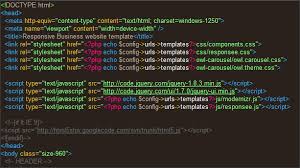
Example of javascript:
What is javaScript? Javascript (JS) is a scripting languages, primarily used on the Web. It is used to enhance HTML pages and is commonly found embedded in HTML code. JavaScript is an interpreted language. Thus, it doesn’t need to be compiled. JavaScript renders web pages in an interactive and dynamic fashion
Trademark
“JavaScript” is a trademark of Oracle Corporation in the United States.[35] It is used under license for technology invented and implemented by Netscape Communications and current entities
Syntax
Main article: JavaScript syntax
Simple examples
Variables in JavaScript can be defined using either the var,[59] let[60] or const[61] keywords.
// Declares a function-scoped variable named `x`, and implicitly assigns the
// special value `undefined` to it.
var x;

// More explicit version of the above.
var x2 = undefined;

// Declares a block-scoped variable named `y`, and implicitly sets it to
// `undefined`. The `let` keyword was introduced in ECMAScript 2015.
let y;

// More explicit version of the above.
let y2 = undefined;

// Declares a block-scoped, un-reassign-able variable named `z`, and sets it to
// `undefined`. The `const` keyword was also introduced in ECMAScript 2015, and
// must be explicitly assigned to.
const z = undefined;

// Declares a variable named `myNumber`, and assigns a number literal (the value
// `2`) to it.
let myNumber = 2;

// Reassigns `myNumber`, setting it to a string literal (the value `"foo"`).
// JavaScript is a dynamically-typed language, so this is legal.
myNumber = "foo";
Note the comments in the example above, all of which were preceded with two forward slashes.
There is no built-in Input/output functionality in JavaScript; the run-time environment provides that. The ECMAScript specification in edition 5.1 mentions:[62]
indeed, there are no provisions in this specification for input of external data or output of computed results.
However, most runtime environments have a console object[63] that can be used to print output. Here is a minimalist Hello World program in JavaScript:
console.log("Hello World!");
A simple recursive function:
function factorial(n) {
    if (n === 0)
        return 1; // 0! = 1

    return n * factorial(n - 1);
}

factorial(3); // returns 6
An anonymous function (or lambda):
function counter() {
    let count = 0;

    return function() {
        return ++count;
    };
}

let closure = counter();
closure(); // returns 1
closure(); // returns 2
closure(); // returns 3
This example shows that, in JavaScript, function closures capture their non-local variables by reference.
Arrow functions were first introduced in 6th Edition – ECMAScript 2015 . They shorten the syntax for writing functions in JavaScript. Arrow functions are anonymous in nature; a variable is needed to refer to them in order to invoke them after their creation.
Example of arrow function:
// Arrow functions let us omit the `function` keyword. Here `long_example`
// points to an anonymous function value.
const long_example = (input1, input2) => {
    console.log("Hello, World!");
    const output = input1 + input2;

    return output;
};

// Arrow functions also let us automatically return the expression to the right
// of the arrow (here `input + 5`), omitting braces and the `return` keyword.
const short_example = input => input + 5;

long_example(2, 3); // Prints "Hello, World!" and returns 5.
short_example(2);  // Returns 7.
In JavaScript, objects are created in the same way as functions; this is known as a function object.
Object example:
function Ball(r) {
    this.radius = r; // the radius variable is local to the ball object
    this.area = pi * r ** 2;
    this.show = function(){ // objects can contain functions
        drawCircle(r); // references a circle drawing function
    }
}

let myBall = new Ball(5); // creates a new instance of the ball object with radius 5
myBall.show(); // this instance of the ball object has the show function performed on it
Variadic function demonstration (arguments is a special variable):[64]
function sum() {
    let x = 0;

    for (let i = 0; i < arguments.length; ++i)
        x += arguments[i];

    return x;
}

sum(1, 2); // returns 3
sum(1, 2, 3); // returns 6
Immediately-invoked function expressions are often used to create modules; before ECMAScript 2015 there was no built-in module construct in the language. Modules allow gathering properties and methods in a namespace and making some of them private:
let counter = (function() {
    let i = 0; // private property

    return {   // public methods
        get: function() {
            alert(i);
        },
        set: function(value) {
            i = value;
        },
        increment: function() {
            alert(++i);
        }
    };
})(); // module

counter.get();      // shows 0
counter.set(6);
counter.increment(); // shows 7
counter.increment(); // shows 8
Exporting and Importing modules in javascript[65]
Export example:
/* mymodule.js */
// This function remains private, as it is not exported
let sum = (a, b) => {
    return a + b;
}

// Export variables
export let name = 'Alice';
export let age = 23;

// Export named functions
export function add(num1, num2){
    return num1 + num2;
}

// Export class
export class Multiplication {
    constructor(num1, num2) {
        this.num1 = num1;
        this.num2 = num2;
    }

    add() {
        return sum(this.num1, this.num2);
    }
}
Import example:
// Import one property
import { add } from './mymodule.js';

console.log(add(1, 2)); // 3

// Import multiple properties
import { name, age } from './mymodule.js';
console.log(name, age);
//> "Alice", 23

// Import all properties from a module
import * from './module.js'
console.log(name, age);
//> "Alice", 23
console.log(add(1,2));
//> 3
More advanced example
This sample code displays various JavaScript features.
/* Finds the lowest common multiple (LCM) of two numbers */
function LCMCalculator(x, y) { // constructor function
    let checkInt = function(x) { // inner function
        if (x % 1 !== 0)
            throw new TypeError(x + "is not an integer"); // var a =  mouseX

        return x;
    };

    this.a = checkInt(x)
    //   semicolons   ^^^^  are optional, a newline is enough
    this.b = checkInt(y);
}
// The prototype of object instances created by a constructor is
// that constructor's "prototype" property.
LCMCalculator.prototype = { // object literal
    constructor: LCMCalculator, // when reassigning a prototype, set the constructor property appropriately
    gcd: function() { // method that calculates the greatest common divisor
        // Euclidean algorithm:
        let a = Math.abs(this.a), b = Math.abs(this.b), t;

        if (a < b) {
            // swap variables
            // t = b; b = a; a = t;
            [a, b] = [b, a]; // swap using destructuring assignment (ES6)
        }

        while (b !== 0) {
            t = b;
            b = a % b;
            a = t;
        }

        // Only need to calculate GCD once, so "redefine" this method.
        // (Actually not redefinition—it's defined on the instance itself,
        // so that this.gcd refers to this "redefinition" instead of LCMCalculator.prototype.gcd.
        // Note that this leads to a wrong result if the LCMCalculator object members "a" and/or "b" are altered afterwards.)
        // Also, 'gcd' === "gcd", this['gcd'] === this.gcd
        this['gcd'] = function() {
            return a;
        };

        return a;
    },

    // Object property names can be specified by strings delimited by double (") or single (') quotes.
    lcm: function() {
        // Variable names do not collide with object properties, e.g., |lcm| is not |this.lcm|.
        // not using |this.a*this.b| to avoid FP precision issues
        let lcm = this.a / this.gcd() * this.b;

        // Only need to calculate lcm once, so "redefine" this method.
        this.lcm = function() {
            return lcm;
        };

        return lcm;
    },

    toString: function() {
        return "LCMCalculator: a = " + this.a + ", b = " + this.b;
    }
};

// Define generic output function; this implementation only works for Web browsers
function output(x) {
    document.body.appendChild(document.createTextNode(x));
    document.body.appendChild(document.createElement('br'));
}

// Note: Array's map() and forEach() are defined in JavaScript 1.6.
// They are used here to demonstrate JavaScript's inherent functional nature.
[
    [25, 55],
    [21, 56],
    [22, 58],
    [28, 56]
].map(function(pair) { // array literal + mapping function
    return new LCMCalculator(pair[0], pair[1]);
}).sort((a, b) => a.lcm() - b.lcm()) // sort with this comparative function; => is a shorthand form of a function, called "arrow function"
    .forEach(printResult);

function printResult(obj) {
    output(obj + ", gcd = " + obj.gcd() + ", lcm = " + obj.lcm());
}
The following output should be displayed in the browser window.
LCMCalculator: a = 28, b = 56, gcd = 28, lcm = 56
LCMCalculator: a = 21, b = 56, gcd = 7, lcm = 168
LCMCalculator: a = 25, b = 55, gcd = 5, lcm = 275
LCMCalculator: a = 22, b = 58, gcd = 2, lcm = 638
Use in Web pages
See also: Dynamic HTML and Ajax (programming)
As of May 2017 94.5% of 10 million most popular web pages used JavaScript.[12] The most common use of JavaScript is to add client-side behavior to HTML pages, also known as Dynamic HTML (DHTML). Scripts are embedded in or included from HTML pages and interact with the Document Object Model (DOM) of the page. Some simple examples of this usage are:
- Loading new page content or submitting data to the server via Ajax without reloading the page (for example, a social network might allow the user to post status updates without leaving the page).
- Animation of page elements, fading them in and out, resizing them, moving them, etc.
- Interactive content, for example games, and playing audio and video.
- Validating input values of a Web form to make sure that they are acceptable before being submitted to the server.
- Transmitting information about the user’s reading habits and browsing activities to various websites. Web pages frequently do this for Web analytics, ad tracking, personalization or other purposes.
JavaScript code can run locally in a user’s browser (rather than on a remote server), increasing the application’s overall responsiveness to user actions. JavaScript code can also detect user actions that HTML alone cannot, such as individual keystrokes. Applications such as Gmail take advantage of this: much of the user-interface logic is written in JavaScript, and JavaScript dispatches requests for information (such as the content of an e-mail message) to the server. The wider trend of Ajax programming similarly exploits this strength.
A JavaScript engine is a computer program that interprets or just-in-time compiles JavaScript source code and executes the script accordingly. The first JavaScript engine was created by Brendan Eich at Netscape, for the Netscape Navigator Web browser. The engine, code-named SpiderMonkey, is implemented in C. It has since been updated (in JavaScript 1.5) to conform to ECMAScript 3. The Rhino engine, created primarily by Norris Boyd (formerly at Netscape, now at Google) is a JavaScript implementation in Java. Rhino, like SpiderMonkey, is ECMAScript 3 compliant.
A Web browser is the most common host environment for JavaScript. However, a Web browser does not have to execute JavaScript code. (For example, text-based browsers have no JavaScript engines; and users of other browsers may disable scripts through a preference or extension.)
A Web browser typically creates “host objects” to represent the DOM in JavaScript. The Web server is another common host environment. A JavaScript Web server would typically expose host objects representing HTTP request and response objects, which a JavaScript program could then interrogate and manipulate to dynamically generate Web pages.
JavaScript is the only language that the most popular browsers share support for and has inadvertently become a target language for frameworks in other languages.[66] The increasing speed of JavaScript engines has made the language a feasible compilation target, despite the performance limitations inherent to its dynamic nature.
Example script
Because JavaScript runs in widely varying environments, an important part of testing and debugging is to test and verify that the JavaScript works across multiple browsers.
The DOM interfaces are officially defined by the W3C in a standardization effort separate from JavaScript. The implementation of these DOM interfaces differ between web browsers.
JavaScript authors can deal with these differences by writing standards-compliant code that can be executed correctly by most browsers. Failing that, they can write code that behaves differently in the absence of certain browser features.[67] Authors may also find it practical to detect what browser is running, as two browsers may implement the same feature with differing behavior.[68][69] Libraries and toolkits that take browser differences into account are also useful to programmers.
Furthermore, scripts may not work for some users. For example, a user may:
- use an old or rare browser with incomplete or unusual DOM support;
- use a PDA or mobile phone browser that cannot execute JavaScript;
- have JavaScript execution disabled as a security precaution;
- use a speech browser due to, for example, a visual disability.
To support these users, Web authors can try to create pages that degrade gracefully on user agents (browsers) that do not support the page’s JavaScript. In particular, the page should remain usable albeit without the extra features that the JavaScript would have added. Some sites use the HTML <noscript> tag, which contains alt content if JS is disabled. An alternative approach that many[quantify] find preferable is to first author content using basic technologies that work in all browsers, then enhance the content for users that have JavaScript enabled. [70] This is known as progressive enhancement.
Security
JavaScript and the DOM provide the potential for malicious authors to deliver scripts to run on a client computer via the Web. Browser authors minimize this risk using two restrictions. First, scripts run in a sandbox in which they can only perform Web-related actions, not general-purpose programming tasks like creating files. Second, scripts are constrained by the same-origin policy: scripts from one Web site do not have access to information such as usernames, passwords, or cookies sent to another site. Most JavaScript-related security bugs are breaches of either the same origin policy or the sandbox.
There are subsets of general JavaScript—ADsafe, Secure ECMAScript (SES)—that provide greater levels of security, especially on code created by third parties (such as advertisements).[71][72] Caja is another project for safe embedding and isolation of third-party JavaScript and HTML.
Content Security Policy is the main intended method of ensuring that only trusted code is executed on a Web page.See also: Content Security Policy
Cross-site vulnerabilities
Main articles: Cross-site scripting and Cross-site request forgery
A common JavaScript-related security problem is cross-site scripting (XSS), a violation of the same-origin policy. XSS vulnerabilities occur when an attacker is able to cause a target Web site, such as an online banking website, to include a malicious script in the webpage presented to a victim. The script in this example can then access the banking application with the privileges of the victim, potentially disclosing secret information or transferring money without the victim’s authorization. A solution to XSS vulnerabilities is to use HTML escaping whenever displaying untrusted data.
Some browsers include partial protection against reflected XSS attacks, in which the attacker provides a URL including malicious script. However, even users of those browsers are vulnerable to other XSS attacks, such as those where the malicious code is stored in a database. Only correct design of Web applications on the server side can fully prevent XSS.
XSS vulnerabilities can also occur because of implementation mistakes by browser authors.[73]
Another cross-site vulnerability is cross-site request forgery (CSRF). In CSRF, code on an attacker’s site tricks the victim’s browser into taking actions the user did not intend at a target site (like transferring money at a bank). When target sites rely solely on cookies for request authentication, requests originating from code on the attacker’s site can carry the same valid login credentials of the initiating user. In general, the solution to CSRF is to require an authentication value in a hidden form field, and not only in the cookies, to authenticate any request that might have lasting effects. Checking the HTTP Referrer header can also help.
“JavaScript hijacking” is a type of CSRF attack in which a <script> tag on an attacker’s site exploits a page on the victim’s site that returns private information such as JSON or JavaScript. Possible solutions include:
- requiring an authentication token in the POST and GET parameters for any response that returns private information.
Misplaced trust in the cliene
Developers of client-server applications must recognize that untrusted clients may be under the control of attackers. The application author cannot assume that their JavaScript code will run as intended (or at all) because any secret embedded in the code could be extracted by a determined adversary. Some implications are:
- Web site authors cannot perfectly conceal how their JavaScript operates because the raw source code must be sent to the client. The code can be obfuscated, but obfuscation can be reverse-engineered.
- JavaScript form validation only provides convenience for users, not security. If a site verifies that the user agreed to its terms of service, or filters invalid characters out of fields that should only contain numbers, it must do so on the server, not only the client.
- Scripts can be selectively disabled, so JavaScript cannot be relied on to prevent operations such as right-clicking on an image to save it.[74]
- It is considered very bad practice to embed sensitive information such as passwords in JavaScript because it can be extracted by an attacker.[75]
Misplaced trust in developers
Package management systems such as npm and Bower are popular with JavaScript developers. Such systems allow a developer to easily manage their program’s dependencies upon other developer’s program libraries. Developers trust that the maintainers of the libraries will keep them secure and up to date, but that is not always the case. A vulnerability has emerged because of this blind trust. Relied-upon libraries can have new releases that cause bugs or vulnerabilities to appear in all programs that rely upon the libraries. Inversely, a library can go unpatched with known vulnerabilities out in the wild. In a study done looking over a sample of 133k websites, researchers found 37% of the websites included a library with at least one known vulnerability.[76] “The median lag between the oldest library version used on each website and the newest available version of that library is 1,177 days in ALEXA, and development of some libraries still in active use ceased years ago.”[76] Another possibility is that the maintainer of a library may remove the library entirely. This occurred in March 2016 when Azer Koçulu removed his repository from npm. This caused all tens of thousands of programs and websites depending upon his libraries to break.[77][78]
Browser and plugin coding errors
JavaScript provides an interface to a wide range of browser capabilities, some of which may have flaws such as buffer overflows. These flaws can allow attackers to write scripts that would run any code they wish on the user’s system. This code is not by any means limited to another JavaScript application. For example, a buffer overrun exploit can allow an attacker to gain access to the operating system’s API with superuser privileges.
These flaws have affected major browsers including Firefox,[79] Internet Explorer,[80] and Safari.[81]
Plugins, such as video players, Adobe Flash, and the wide range of ActiveX controls enabled by default in Microsoft Internet Explorer, may also have flaws exploitable via JavaScript (such flaws have been exploited in the past).[82][83]
In Windows Vista, Microsoft has attempted to contain the risks of bugs such as buffer overflows by running the Internet Explorer process with limited privileges.[84] Google Chrome similarly confines its page renderers to their own “sandbox”.
Sandbox implementation errors
Web browsers are capable of running JavaScript outside the sandbox, with the privileges necessary to, for example, create or delete files. Such privileges are not intended to be granted to code from the Web.
Incorrectly granting privileges to JavaScript from the Web has played a role in vulnerabilities in both Internet Explorer[85] and Firefox.[86] In Windows XP Service Pack 2, Microsoft demoted JScript’s privileges in Internet Explorer.[87]
Microsoft Windows allows JavaScript source files on a computer’s hard drive to be launched as general-purpose, non-sandboxed programs (see: Windows Script Host). This makes JavaScript (like VBScript) a theoretically viable vector for a Trojan horse, although JavaScript Trojan horses are uncommon in practice.[88][failed verification]
Hardware vulnerabilities
In 2015, a JavaScript-based proof-of-concept implementation of a rowhammer attack was described in a paper by security researchers.[89][90][91][92]
In 2017, a JavaScript-based attack via browser was demonstrated that could bypass ASLR. It’s called “ASLR⊕Cache” or AnC.[93][94]
Uses outside Web pages
In addition to Web browsers and servers, JavaScript interpreters are embedded in a number of tools. Each of these applications provides its own object model that provides access to the host environment. The core JavaScript language remains mostly the same in each application.
Embedded scripting language
- Google’s Chrome extensions, Opera‘s extensions, Apple’s Safari 5 extensions, Apple’s Dashboard Widgets, Microsoft’s Gadgets, Yahoo! Widgets, Google Desktop Gadgets, and Serence Klipfolio are implemented using JavaScript.
- The MongoDB database accepts queries written in JavaScript. MongoDB and NodeJS are the core components of MEAN: a solution stack for creating Web applications using just JavaScript.
- The Clusterpoint database accept queries written in JS/SQL, which is a combination of SQL and JavaScript. Clusterpoint has built-in computing engine that allows execution of JavaScript code right inside the distributed database.
- Adobe’s Acrobat and Adobe Reader support JavaScript in PDF files.[95]
- Tools in the Adobe Creative Suite, including Photoshop, Illustrator, After Effects, Dreamweaver, and InDesign, allow scripting through JavaScript.
- LibreOffice, an office application suite, allows JavaScript to be used as a scripting language.
- The visual programming language Max, released by Cycling ’74, offers a JavaScript model of its environment for use by developers. It allows users to reduce visual clutter by using an object for a task rather than many.
- Apple’s Logic Pro X digital audio workstation (DAW) software can create custom MIDI effects plugins using JavaScript.[96]
- The Unity game engine supported a modified version of JavaScript for scripting via Mono until 2017.[97]
- DX Studio (3D engine) uses the SpiderMonkey implementation of JavaScript for game and simulation logic.[98]
- Maxwell Render (rendering software) provides an ECMA standard based scripting engine for tasks automation.[99]
- Google Apps Script in Google Spreadsheets and Google Sites allows users to create custom formulas, automate repetitive tasks and also interact with other Google products such as Gmail.[100]
- Many IRC clients, like ChatZilla or XChat, use JavaScript for their scripting abilities.[101][102]
- RPG Maker MV uses JavaScript as its scripting language.[103]
- The text editor UltraEdit uses JavaScript 1.7 as internal scripting language, introduced with version 13 in 2007.
Scripting engine
- Microsoft’s Active Scripting technology supports JScript as a scripting language.[104]
- Java introduced the
javax.scriptpackage in version 6 that includes a JavaScript implementation based on Mozilla Rhino. Thus, Java applications can host scripts that access the application’s variables and objects, much like Web browsers host scripts that access a webpage’s Document Object Model (DOM).[105][106] - The Qt C++ toolkit includes a
QtScriptmodule to interpret JavaScript, analogous to Java’sjavax.scriptpackage.[107] - OS X Yosemite introduced JavaScript for Automation (JXA), which is built upon JavaScriptCore and the Open Scripting Architecture. It features an Objective-C bridge that enables entire Cocoa applications to be programmed in JavaScript.
- Late Night Software’s JavaScript OSA (also known as JavaScript for OSA, or JSOSA) is a freeware alternative to AppleScript for OS X. It is based on the Mozilla JavaScript 1.5 implementation, with the addition of a
MacOSobject for interaction with the operating system and third-party applications.
See also: List of server-side JavaScript implementations
- ActionScript, the programming language used in Adobe Flash, is another implementation of the ECMAScript standard.
- Adobe AIR (Adobe Integrated Runtime) is a JavaScript runtime that allows developers to create desktop applications.
- Electron is an open-source framework developed by GitHub.
- CA Technologies AutoShell cross-application scripting environment is built on the SpiderMonkey JavaScript engine. It contains preprocessor-like extensions for command definition, as well as custom classes for various system-related tasks like file I/O, operation system command invocation and redirection, and COM scripting.
- Apache Cordova is a mobile application development framework
- Cocos2d is an open source software framework. It can be used to build games, apps and other cross platform GUI based interactive programs
- Chromium Embedded Framework (CEF) is an open source framework for embedding a web browser engine based on the Chromium core
- RhoMobile Suite is a set of development tools for creating data-centric, cross-platform, native mobile consumer and enterprise applications.
- NW.js call all Node.js modules directly from DOM and enable a new way of writing applications with all Web technologies.[108]
- GNOME Shell, the shell for the GNOME 3 desktop environment,[109] made JavaScript its default programming language in 2013.[110]
- The Mozilla application framework (XPFE) platform, which underlies Firefox, Thunderbird, and some other Web browsers, uses JavaScript to implement the graphical user interface (GUI) of its various products.
- Qt Quick‘s markup language (available since Qt 4.7) uses JavaScript for its application logic. Its declarative syntax is also similar to JavaScript.
- Ubuntu Touch provides a JavaScript API for its unified usability interface.
- Open webOS is the next generation of web-centric platforms built to run on a wide range of form factors.[111]
- enyo JS is a framework to develop apps for all major platforms, from phones and tablets to PCs and TVs[112]
- WinJS provides a special Windows Library for JavaScript functionality in Windows 8 that enables the development of Modern style (formerly Metro style) applications in HTML5 and JavaScript.
- NativeScript is an open-source framework to develop apps on the Apple iOS and Android platforms.
- Weex is a framework for building Mobile cross-platform UI, created by China Tech giant Alibaba[113]
- XULRunner is packaged version of the Mozilla platform to enable standalone desktop application development
Within JavaScript, access to a debugger becomes invaluable when developing large, non-trivial programs. There can be implementation differences between the various browsers (particularly within the DOM), so it is useful to have access to a debugger for each of the browsers that a Web application targets.[114]
Script debuggers are integrated within many mainstream browsers such as Internet Explorer, Firefox, Safari, Google Chrome, Opera and Node.js.[115][116][117]
In addition to the native Internet Explorer Developer Tools, three other debuggers are available for Internet Explorer: Microsoft Visual Studio has the most features of the three, closely followed by Microsoft Script Editor (a component of Microsoft Office),[118] and finally the free Microsoft Script Debugger. The free Microsoft Visual Web Developer Express provides a limited version of the JavaScript debugging functionality in Microsoft Visual Studio.
In comparison to Internet Explorer, Firefox has a more comprehensive set of developer tools, which includes a debugger as well. Old versions of Firefox without these tools used a Firefox addon called Firebug, or the older Venkman debugger. WebKit‘s Web Inspector includes a JavaScript debugger,[119] which is used in Safari. A modified version called Blink DevTools is used in Google Chrome. Node.js has Node Inspector, an interactive debugger that integrates with the Blink DevTools. Opera includes a set of tools called Dragonfly.[120]
In addition to the native computer software, there are online JavaScript integrated development environment (IDEs), which have debugging aids that are themselves written in JavaScript and built to run on the Web. An example is the program JSLint, developed by Douglas Crockford who has written extensively on the language. JSLint scans JavaScript code for conformance to a set of standards and guidelines. Many libraries for JavaScript, such as three.js, provide links to demonstration code that can be edited by users. Demonstration codes are also used as a pedagogical tool by institutions such as Khan Academy[121] to allow students to experience writing code in an environment where they can see the output of their programs, without needing any setup beyond a Web browser.
JavaScript’s increased usage in web development warrants further considerations about performance. Frontend code has inherited many responsibilities previously handled by the backend. Mobile devices in particular may encounter problems rendering poorly optimized frontend code.
A library for doing benchmarks is benchmark.js.[122] A benchmarking library that supports high-resolution timers and returns statistically significant results.[citation needed]
Another tool is jsben.ch.[123] An online JavaScript benchmarking tool, where code snippets can be tested against each other.
Version history
See also: ECMAScript § Versions
JavaScript was initially developed in 1996 for use in the Netscape Navigator Web browser. In the same year Microsoft released an implementation for Internet Explorer. This implementation was called JScript due to trademark issues. In 1997, the first standardized version of the language was released under the name ECMAScript in the first edition of the ECMA-262 standard.
The explicit versioning and opt-in of language features was Mozilla-specific and has been removed in later Firefox versions (at least by Firefox 59). Firefox 4 was the last version which referred to an explicit JavaScript version (1.8.5). With new editions of the ECMA-262 standard, JavaScript language features are now often mentioned with their initial definition in the ECMA-262 editions.
The following table of explicitly versioned JavaScript versions is based on information from multiple sources
 Active Lessons